Get the official APK
Use the official EPIC Live download link when it becomes available. Verify the source before opening the file.
EPIC Live is an Android app with an EPIC Library and optional Live TV access. Here’s what to expect before installation.
The official APK download link and enrollment process will be published here when ready. Do not download unofficial copies from third-party sites.
These are general steps; your phone's menus can vary by Android version.
Use the official EPIC Live download link when it becomes available. Verify the source before opening the file.
Android may ask you to allow Install unknown apps for the browser or Files app you used. Grant permission only for this trusted installation and turn it off afterward if desired.
Finish the installation, launch the app, and sign in with the account details provided during activation.
Open EPIC Library to explore on-demand titles, or use TV and Sports if your plan includes live programming.
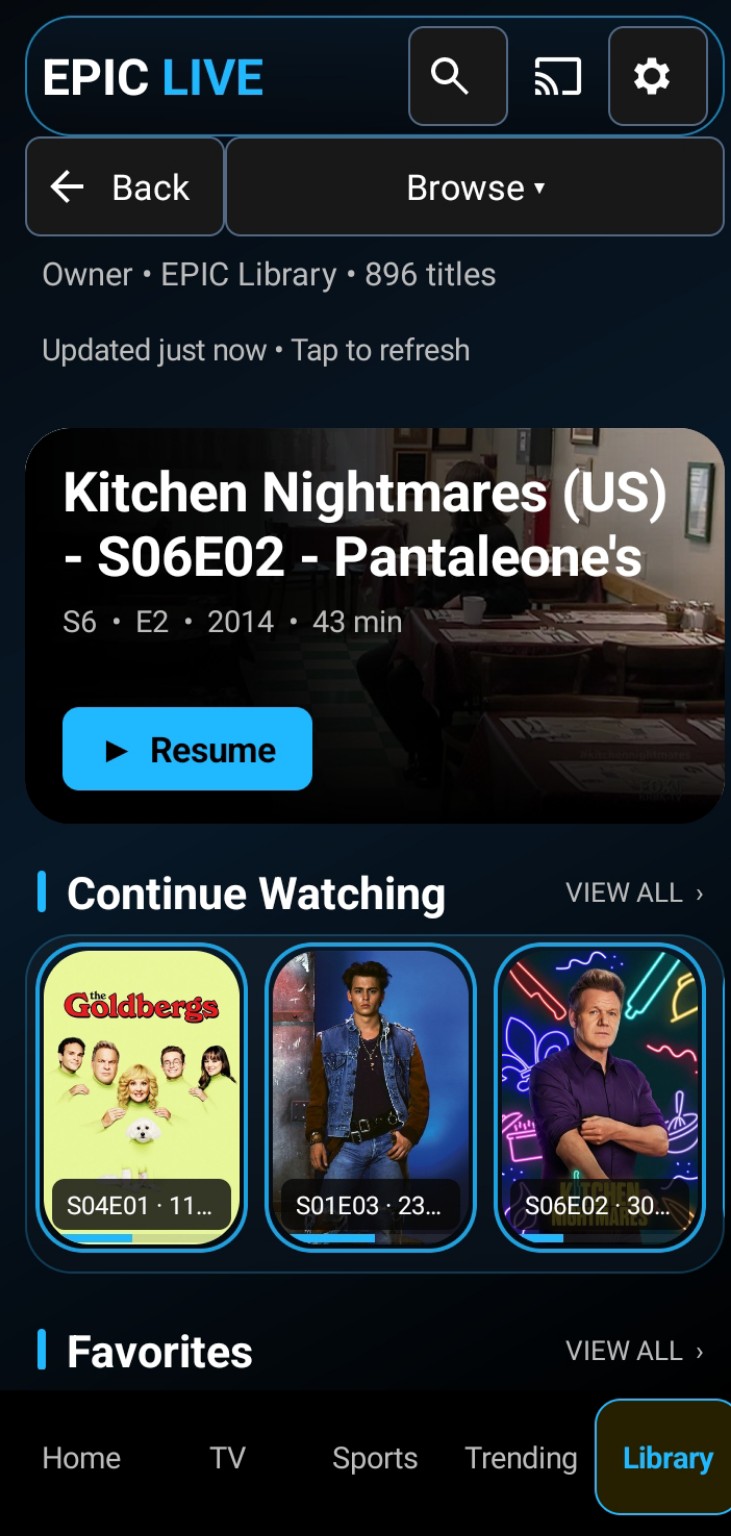
Use Continue Watching, Favorites, and library categories in the Android interface.
Some Android-based streaming devices allow APK installation from an official file, but exact steps vary by manufacturer.
Confirm that the device supports Android apps and your specific EPIC Live APK. Compatibility has not been verified for every model.
Use an approved transfer method or download it directly from our official website once available. Never enter private IPTV credentials into unfamiliar downloader apps.
If the device supports sideloading, enable installation for the chosen file manager or downloader, install the APK, and disable the permission after installation.
Activate your account, check navigation and playback, and make sure the app works correctly on your device.
Android TV and Google TV devices may have different menu names. Apple TV, iPhone, and iPad are not supported. Installation assistance will be offered when the contact section becomes available.
The Android app is free to install. Access to the service is subscription-based, with a first-month-free introductory offer.
EPIC Library is $30 per month; EPIC Live Complete is $50 per month and adds Live TV, live sports, and available local channels.
PayPal is the intended payment method. The enrollment and payment buttons have not yet been activated.
The exact first payment date, cancellation procedure, and refund terms will be provided before subscriptions open. No automatic billing commitment is made from browsing this website.
No. EPIC Live is currently designed for Android, not Apple iOS or Apple TV.
Installation assistance may be available. Contact information will be added later.
Only subscribe if the advertised content is authorized for commercial distribution. Access to channels, shows and sporting events can vary.